
This site requires Javascript.

Please enable Javascript before proceeding:

Firefox

  1. In the FireFox address bar, type about:config.
  2. Look for the javascript.enabled setting.
  3. Set it to true by right-clicking and pressing toggle.

Internet Explorer

  1. On the Tools menu, click Internet Options, then click the Security tab.
  2. Click the Internet Zone.
  3. If you do not have to customize your Internet security settings, click Default Level. Then do step 4.
  4. If you have to customize your Internet security settings, follow these steps:
    a. Click Custom Level.
    b. In the Security Settings - Internet Zone dialog box, click Enable for Active Scripting in the Scripting section.
  5. Click the Back button to return to the previous page, and then click the Refresh button to run scripts.

Chrome

  1. In the Chrome address bar, type chrome://settings/content/javascript.
  2. Adjust the toggle so that javascript is allowed.
  3. Close the Settings tab and Refresh the page.


Accommodation

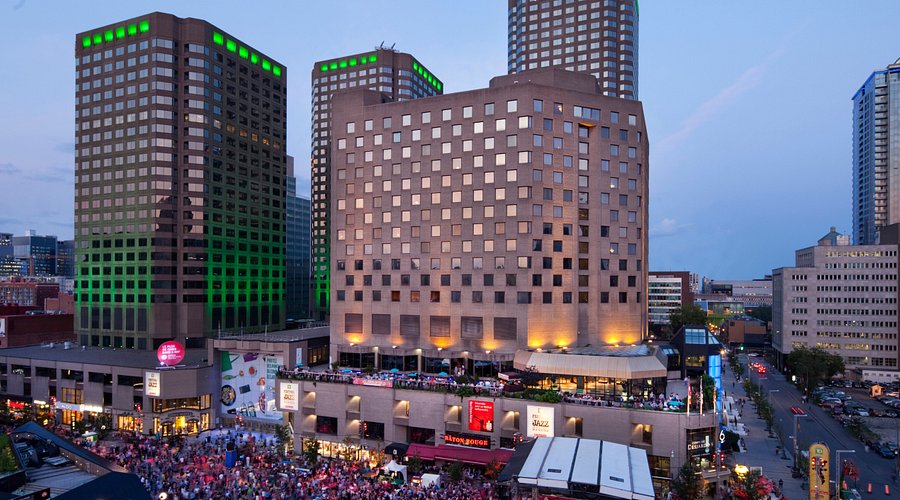
All DRI Connect 2026 sessions will take place at the Doubletree by Hilton Montreal located at 1255 Rue Jeanne-Mance, Montréal, QC H5B 1E5.

A limited number of rooms have been blocked at the hotel for attendees to reserve at a preferential rate of $299/night. Click "Reserve Here” to take advantage of this special rate.