System Notification
Returning Registrant
- Registration has closed.

D.E. Systems' myConferenceSuite Registration System is responsible for personal information under its control. Collection of personal information by myConferenceSuite will be limited to what is necessary for the purposes of registration for the event.
When we use trusted third parties to act on our behalf by performing such functions as processing credit card payments, contractual or other appropriate means are used to ensure compliance by such third parties with this Policy and all applicable privacy laws.
Personal information will not be used or disclosed for purposes other than those for which it was collected, to process the registration data to a given event.
We will keep your personal information as accurate, complete and up-to-date as necessary for the purposes for which it is to be used.
The Policy is subject to PIPEDA and/or any other applicable privacy laws and myConferenceSuite reserves the right to change it at any time.
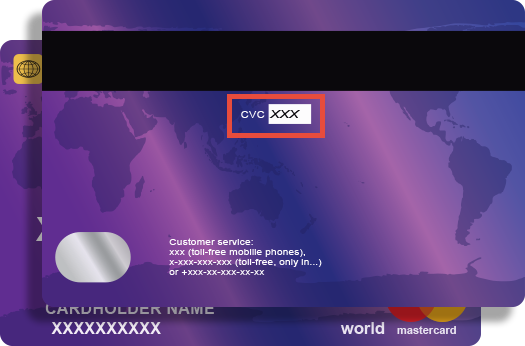
Credit card companies require online transactions be verified by confirming your CVV (Customer Verification Value) number to ensure that you are the true cardholder.
The 3 digit CVV is on the reverse side of your card near the signature panel similar to the picture.
NOTE:
If you are using American Express the CVV is a FOUR (4) digit number found on the front of your card in small, black print ABOVE your credit card number.