Please Continue to Review Process

Copyright© | MYConference Suite Registration | D.E. Systems | All Right Reserved.
PCMA Canada East Chapter Policies
Cancellations will only be accepted in writing and must be sent to the PCMA Canada East Chapter Secretariat at canadaeast@pcma.org. No refunds will be issued for cancellations received after 5:01pm EST, July 10th, 2026. Please notify the PCMA Canada East Chapter in writing with any change.
Payment Instructions
If paying by cheque, please make cheque payable to PCMA Canada East Chapter and mail to: PO Box 539 - 2140A Queen Street East, Toronto, Ontario, M4E 3V7
All fees are in Canadian Dollars and subject to 5% HST (84112-5818-RT0001).
Privacy Policy
By attending the Education, Breakfast & Networking, the attendee grants permission to have his/her photograph taken and possibly reproduced In official PCMACE materials.
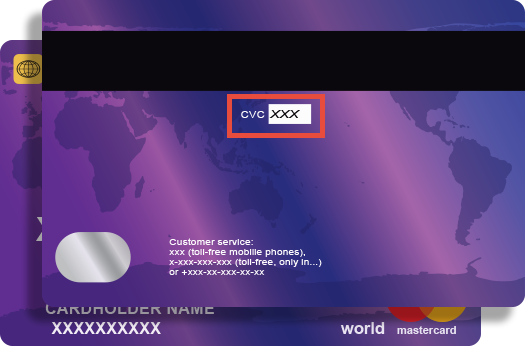
Credit card companies require online transactions be verified by confirming your CVV (Customer Verification Value) number to ensure that you are the true cardholder.
The 3 digit CVV is on the reverse side of your card near the signature panel similar to the picture.
NOTE:
If you are using American Express the CVV is a FOUR (4) digit number found on the front of your card in small, black print ABOVE your credit card number.