This site requires Javascript.

Please enable Javascript before proceeding:

Firefox

  1. In the FireFox address bar, type about:config.
  2. Look for the javascript.enabled setting.
  3. Set it to true by right-clicking and pressing toggle.

Internet Explorer

  1. On the Tools menu, click Internet Options, then click the Security tab.
  2. Click the Internet Zone.
  3. If you do not have to customize your Internet security settings, click Default Level. Then do step 4.
  4. If you have to customize your Internet security settings, follow these steps:
    a. Click Custom Level.
    b. In the Security Settings - Internet Zone dialog box, click Enable for Active Scripting in the Scripting section.
  5. Click the Back button to return to the previous page, and then click the Refresh button to run scripts.

Chrome

  1. In the Chrome address bar, type chrome://settings/content/javascript.
  2. Adjust the toggle so that javascript is allowed.
  3. Close the Settings tab and Refresh the page.


Welcome to the 2027 Exhibitor/Sponsor Registration

Register to be an Exhibitor and/or Sponsor at the 2027 OCA Construction Symposium & Trade Show.

Exhibitor/Sponsor Registration
Update your 2027 Exhibitor/Sponsor Registration

Symposium Guide

Coming Soon

Date

March 31, 2027

Location

4899 Uplands Dr, Ottawa, ON

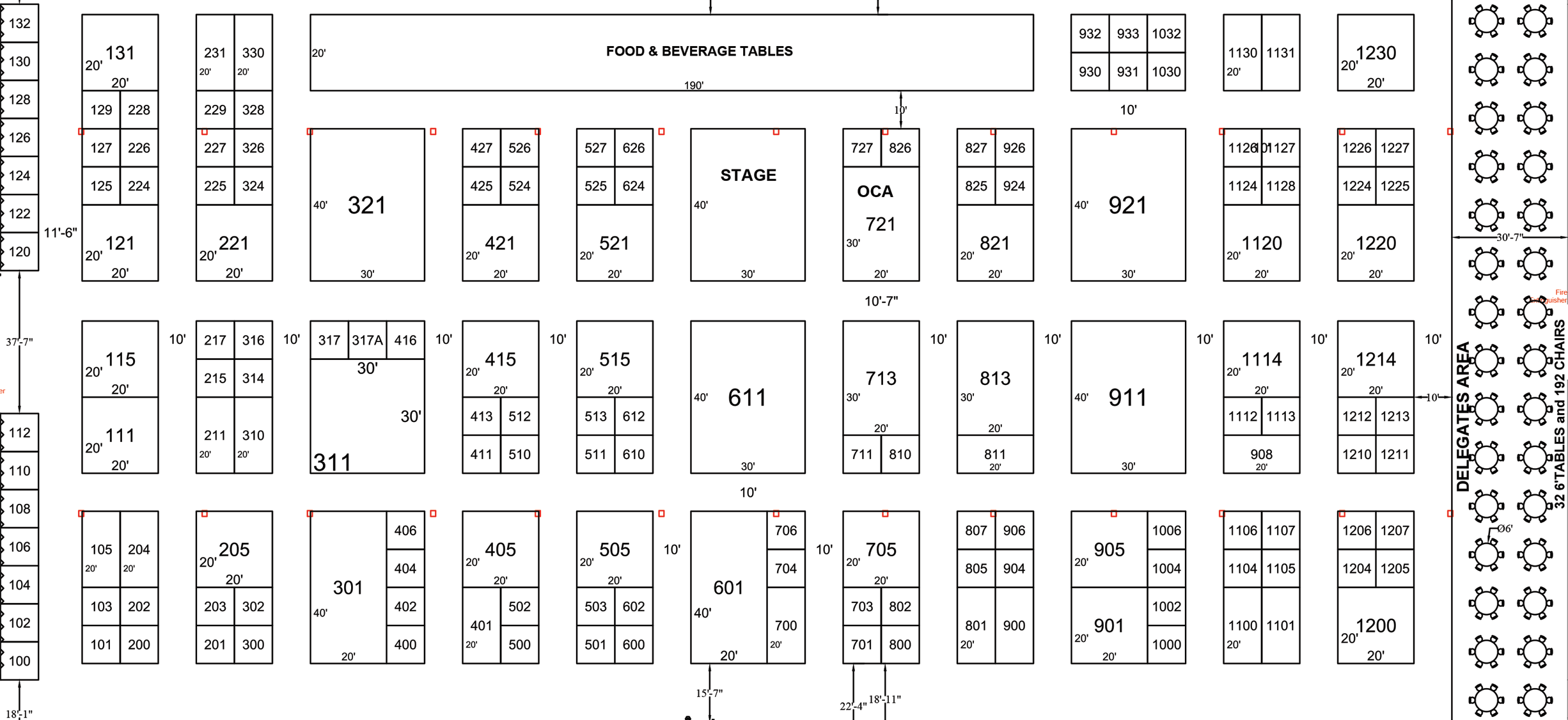
View Floor Plan

For more information

stephanie@oca.ca

Follow Us