Set it to true by right-clicking and pressing toggle.
Internet Explorer
On the Tools menu, click Internet Options, then click the Security tab.
Click the Internet Zone.
If you do not have to customize your Internet security settings, click Default Level. Then do step 4.
If you have to customize your Internet security settings, follow these steps:
a. Click Custom Level.
b. In the Security Settings - Internet Zone dialog box, click Enable for Active Scripting in the Scripting section.
Click the Back button to return to the previous page, and then click the Refresh button to run scripts.
Chrome
In the Chrome address bar, type chrome://settings/content/javascript.
Adjust the toggle so that javascript is allowed.
Close the Settings tab and Refresh the page.
System Notification
Registration has closed.
Thank you for your interest!
This Event is SOLD OUT!
If you are interested in joining our wait list, please email: canadaeast@pcma.org
Substitutions can be made at anytime. Cancellations will be permitted, with written notification to the PCMA Canada East Chapter canadaeast@pcma.org no later than 5:00pm EST Monday, January 26, 2026. No refunds will be issued for cancellations received after 5:01pm EST, Monday, January 26, 2026. Please notify the PCMA Canada East Chapter in writing with any changes. Unless otherwise advised prior to the event, the attendee grants permission to have his/her photograph taken and possibly reproduced in official Chapter materials.
Payment Instructions
All fees are in Canadian Dollars and subject to 13% HST. HST# - 84112-5818-RT0001
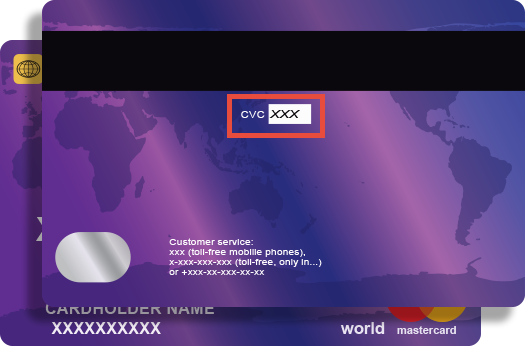
Credit card companies require online transactions be verified by confirming your CVV (Customer Verification Value) number to ensure that you are the true cardholder.
The 3 digit CVV is on the reverse side of your card near the signature panel similar to the picture.
NOTE: If you are using American Express the CVV is a FOUR (4) digit number found on the front of your card in small, black print ABOVE your credit card number.